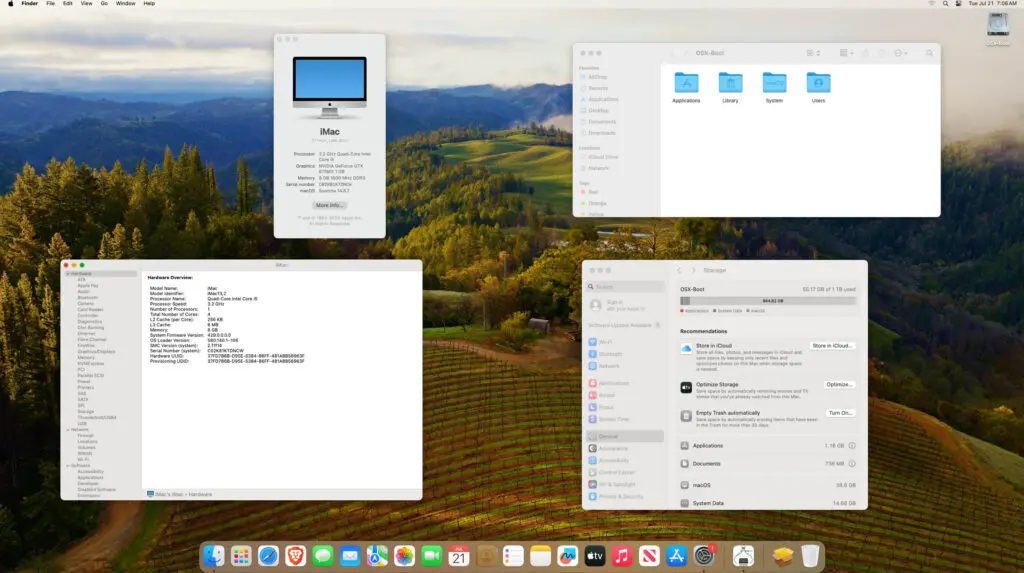
A Late 2012 27″ iMac (iMac13,2) is past what Apple still supports. Out of the box, this generation tops out with macOS Catalina which is several versions back — nowhere close to modern Sonoma. That ceiling isn’t just a version number issue: the last officially supported macOS release for this hardware also caps out the last supported version of Safari, and that browser version stopped receiving security patches years ago. Practically, that means visiting most modern websites on the stock, unpatched configuration is a security liability at best and broken at worst — TLS/SSL protocol versions get deprecated, sites require JavaScript features the old WebKit engine doesn’t support, and login pages for major services (banking, email, etc.) increasingly refuse outdated browsers outright. A machine with otherwise capable hardware — a real CPU, expandable RAM, a display still worth using — becomes unable to perform one of the most basic tasks a computer is used for. Rather than let it collect dust in that state, the hardware still had life left, and OpenCore Legacy Patcher (OCLP) offered a path to bring it current.
Assessing the Hardware
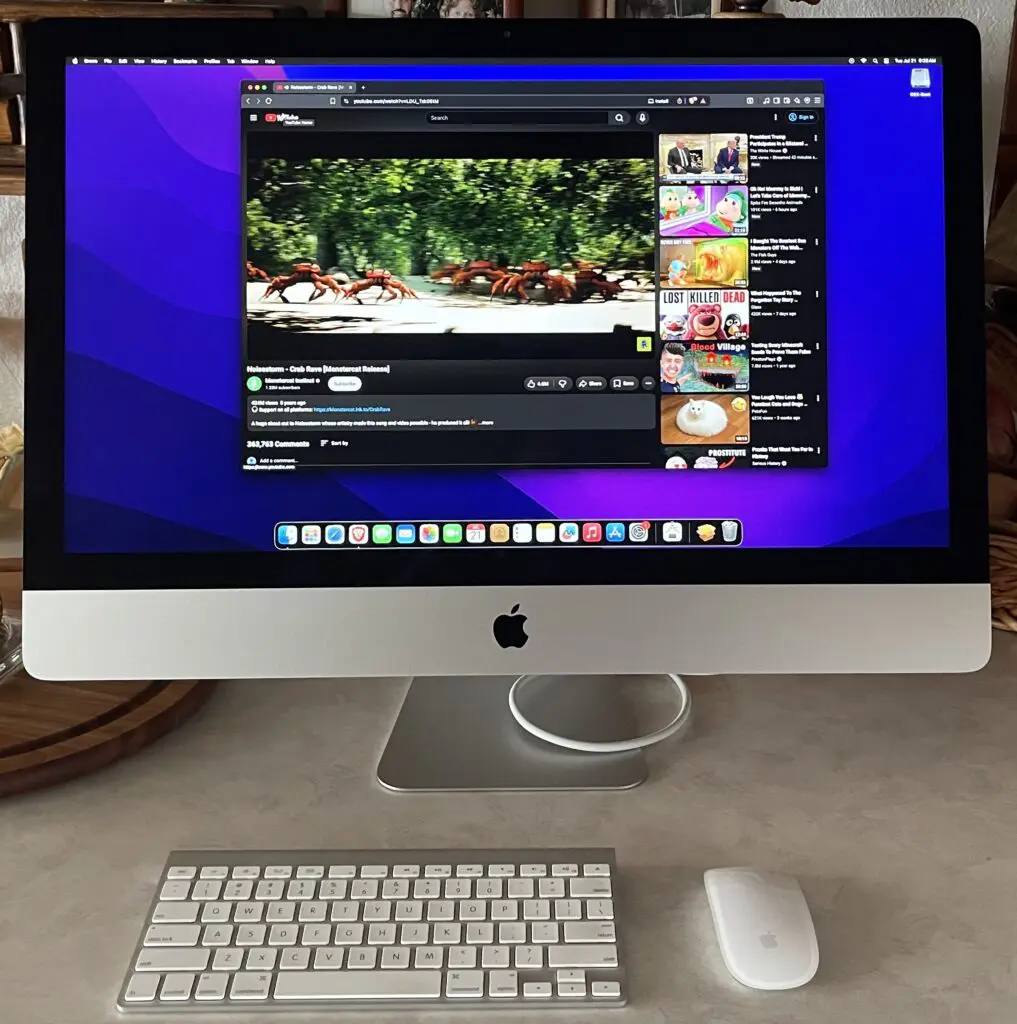
Before touching software, the hardware gets evaluated. This model came stock on Mountain Lion. Specs like these are common for machines of this era:
- Core i5 or i7 processor, several generations behind but still capable for everyday use
- Spinning hard drive or fusion drive, often the biggest bottleneck
- 8–16GB RAM, upgradeable in most units
- Discrete GPU that OCLP has to specifically patch around, since Apple dropped driver support long ago
An SSD swap is usually the single biggest improvement available, but even without one, OCLP alone breathes new life into the machine.
Assessing the Hardware
OCLP is a free, open-source tool built by the Dortania project. It doesn’t hack or crack macOS — it builds a custom OpenCore bootloader configuration that reintroduces support for hardware Apple has since dropped, while injecting the necessary kexts and patches so unsupported Macs can boot modern macOS releases.
The general flow:
- Download OCLP and create a bootable macOS installer USB (8GB+) directly through the app.
- Select target macOS version. For this machine, Sonoma was the target — several versions past its native ceiling.
- Build and flash OpenCore to the USB drive, layering in the patches this specific model needs (graphics, Wi-Fi/Bluetooth, USB mapping, etc.).
- Boot from the USB, run the Sonoma installer, and let it complete a standard install.
- Boot into Sonoma via OpenCore, then run OCLP’s post-install root patches — this step handles graphics acceleration and other features that don’t work without additional patching after the OS install itself finishes.
- Verify the essentials: WiFi, Bluetooth, audio, graphics acceleration, and sleep/wake all get checked individually, since any one of these can behave differently depending on the exact hardware revision.
The result: a machine well outside Apple’s official support window, running a current macOS release with most native features intact.
Known Trade-offs
Not everything is perfect on a patched install, and setting expectations matters:
- Some Continuity features tied to newer Apple Silicon or specific hardware simply won’t work
- Graphics acceleration on older discrete GPUs can be less stable than on natively supported Macs
- Future macOS updates require re-running OCLP rather than updating through System Settings directly
- Occasional quirks show up after reboots or hardware changes (moving the machine, cable reseating) — a Finder relaunch or fresh restart usually resolves them
None of these are dealbreakers for a machine that would otherwise be stuck on an operating system nearly a decade old.
Preparing to Sell
Once the upgrade is stable, the machine gets prepped for resale:
- Clean the hardware. For skin oil and general grime on the display, isopropyl alcohol (70%) on a microfiber cloth cuts through it — avoid glass cleaner and paper towels, which can dull or scratch the anti-glare coating over time.
- Wipe the drive and do a clean reinstall so the buyer starts fresh, then reapply OCLP and reinstall the target macOS version.
- Document the setup honestly in the listing. Buyers should know upfront that the machine is running an unsupported, patched macOS install via a third-party open-source tool — not an Apple-sanctioned configuration. This avoids confusion later and sets the right expectations for anyone comfortable maintaining a patched install themselves.
- List any limitations specific to that model and macOS version so there are no surprises after the sale.
Outcome
A machine well past its official end-of-life, sold not as scrap but as a working, modern-macOS-capable computer — proof that hardware Apple considers obsolete still has real usable value with the right community tools behind it.