


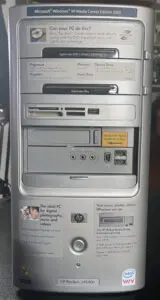
I didn’t set out to build something modern. My goal was to revive an older HP Pavilion a1640n and bring it back into active use—not as a novelty, but as a working system that handles gaming and media the way it would have in its prime.
Cleaning and First Power-On
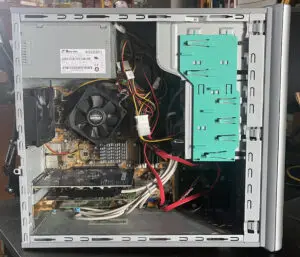
The system needed attention right away. Dust was packed into every vent and fan, and the thermal paste had long since dried out. I pulled everything apart, cleaned it thoroughly, and reapplied fresh paste to the CPU. Once reassembled, airflow was noticeably better and temperatures stabilized where they should be.
Both hard drives were tested using S.M.A.R.T. diagnostics and passed. That was a relief, since replacing IDE and early SATA drives is not always straightforward in a twenty-year-old system.
Hardware Changes
The original onboard graphics wasn’t going to cut it, so I installed a Gigabyte GeForce GT 730 with 2GB of DDR3. It gave me HDMI output along with VGA, making the system more compatible with modern displays.
This system originally came as a Windows XP Media Center Edition 2005 machine intended for watching OTA television and media encoding. I initially tried to preserve that capability by replacing the original Dell OEM eHome Wonder card with an ATI Theater Pro 650 tuner.
That turned into a dead end. Getting the legacy drivers installed was difficult enough, and even after getting the card recognized, neither XP Media Center nor Vista Media Center would reliably handle the composite input from a DVD player. I eventually tried VirtualDub as an alternative, but that introduced another round of driver, capture-device, input, and codec problems. After enough experimentation, it was clear that I was spending more time fighting the hardware than using it.
Side note: The TV capture experiment ultimately went nowhere. Nothing I tried produced a setup that was reliable enough to justify keeping it as part of the project, so I abandoned that approach and moved on rather than continuing to chase obsolete drivers and software.
Multi-Boot Configuration
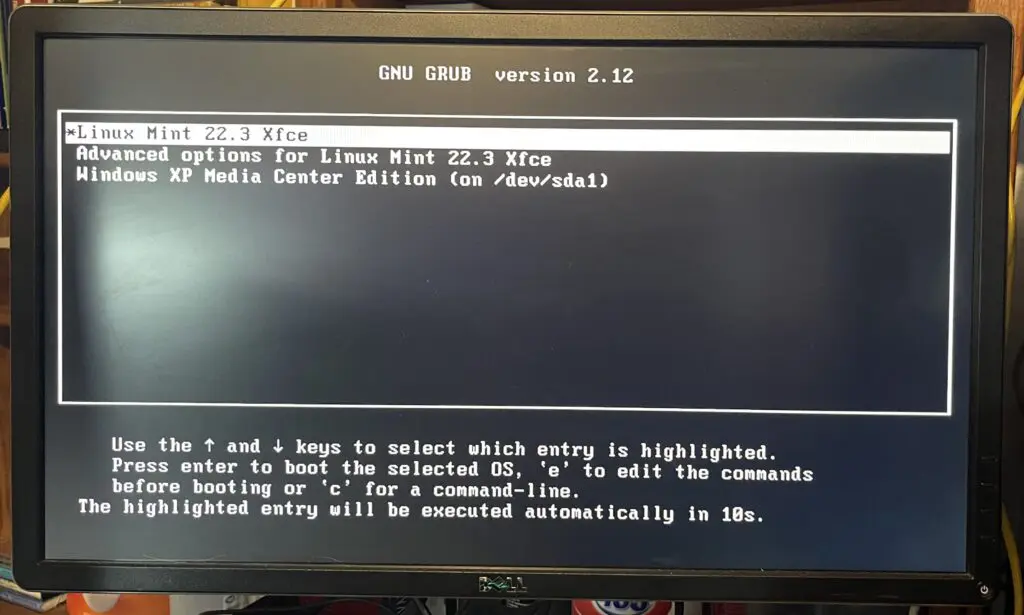
Instead of partitioning a single drive, I kept things simple and separated the operating systems physically.
- Windows XP Media Center Edition 2005 installed on the 500GB drive
- Windows Vista Ultimate with Media Center installed on the 240GB drive
Each operating system lives on its own disk, which avoided a lot of the usual bootloader conflicts that come with shared partitions.
I used Vista’s boot manager to detect XP and add it to the Windows Boot Manager by first installing XP on drive 0 and then installing Vista on drive 1. It kept the two environments clean and prevented one OS from interfering with the other.
Final System Configuration
After everything was configured and stable, the system looks like this:
- Intel Core 2 Duo E6300 at 1.8GHz
- 4GB DDR2 RAM
- 500GB drive dedicated to Windows XP Media Center Edition 2005
- 240GB drive dedicated to Windows Vista Ultimate
- Gigabyte GeForce GT 730 graphics card
- ATI Theater Pro 650 tuner card
- DVD RW optical drive
- USB 2.0, Ethernet, WiFi, FireWire
- Digital audio input and output
- Multi-format memory card reader
Both operating systems are fully configured, drivers are installed, and activation is complete. After reaching a stable point, I created a full backup image of the XP boot drive and stored it on the secondary disk.
Final Thoughts
This build ended up feeling like far more work than it was worth. The Pavilion a1640n now runs two separate operating systems on two separate drives and handles older games without issue. The original goal was to bring the machine back into useful service, and that part worked.
Not every part of the original Media Center functionality survived the restoration, but sometimes the sensible solution is to stop fighting twenty-year-old hardware and move on.