


These are the banner and cover photo dimensions you need for LinkedIn, Facebook, YouTube, and X (formerly known as Twitter), along with the “safe zones” so your text and logos don’t get awkwardly cropped on mobile or desktop screens.
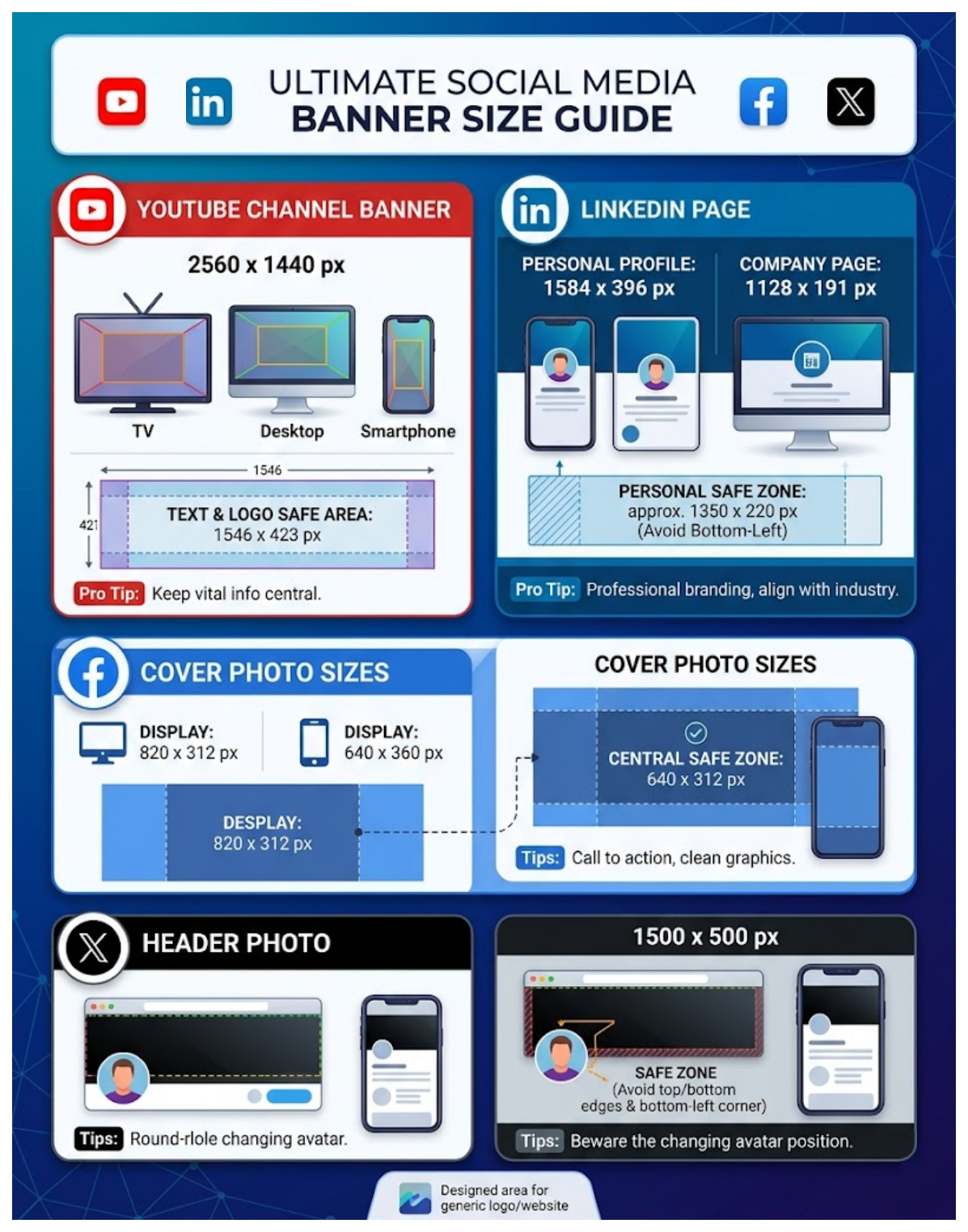
YouTube Channel Banner
YouTube banners are the trickiest because the platform uses a single large image and chops it down drastically depending on whether someone is watching on a TV, desktop, or phone.
- Recommended Upload Size:
2560 x 1440 - Aspect Ratio: 16:9
- Text & Logo Safe Area:
1546 x 423(Keep all critical info centered here so it’s visible on mobile and desktop) - Max File Size: 6MB
LinkedIn Banner
LinkedIn crops the top and bottom slightly on mobile and shifts your profile picture around.
- Personal Profile:
1584 x 396 px(Aspect ratio 4:1) - Company Page:
1128 x 191 - Safe Zone Advice: Keep important details centered within a
1350 x 220 pxblock. Avoid placing crucial text or logos in the bottom-left corner, as your round profile picture will overlay and cover it on desktop. - Max File Size: 8MB (Accepts JPG or PNG)
Facebook Cover Photo
Facebook uses different display proportions for computers versus smartphones, meaning a desktop banner gets cropped on the sides when viewed on a phone.
- Recommended Upload Size:
820 x 360 px - Desktop Display: Displays at
820 x 312 px(Crops the top/bottom slightly) - Mobile Display: Displays at
640 x 360 px(Crops the left/right sides) - The Safe Zone:
640 x 312 pxright in the exact dead-center. If you keep your text and graphics inside this middle box, nothing will get cut off on any device.
X (Twitter) Header
X scales relatively cleanly, but the bottom-left corner changes position based on the responsive layout of the browser window.
- Recommended Upload Size:
1500 x 500 px - Aspect Ratio: 3:1
- Safe Zone Advice: Leave about
60 pxof breathing room at the very top and very bottom edges because minor cropping occurs across different web browsers. Leave the bottom-left quadrant clear of text so your profile avatar doesn’t block it. - Max File Size: 2MB (Supports static GIF, JPG, or PNG)
Design Tip: When building these in Photoshop, Illustrator, or Figma, it helps to drop a temporary shape or bounding box over your template representing the mobile safe zone. Design your background across the full canvas, but lock all your text, branding, and contact info inside that safe box before exporting!